Understanding DevOps from Scratch

What is DevOps?
DevOps is a modern software development approach that brings Development (Dev) and Operations (Ops) teams together to work as a single, collaborative unit. Instead of working in silos, both teams share responsibility for building, testing, deploying, and maintaining applications.
Traditionally, developers focused only on writing code, while operations teams handled deployment and server management. This separation often caused delays, deployment failures, and blame-shifting. DevOps solves this problem by encouraging collaboration, automation, and continuous feedback.
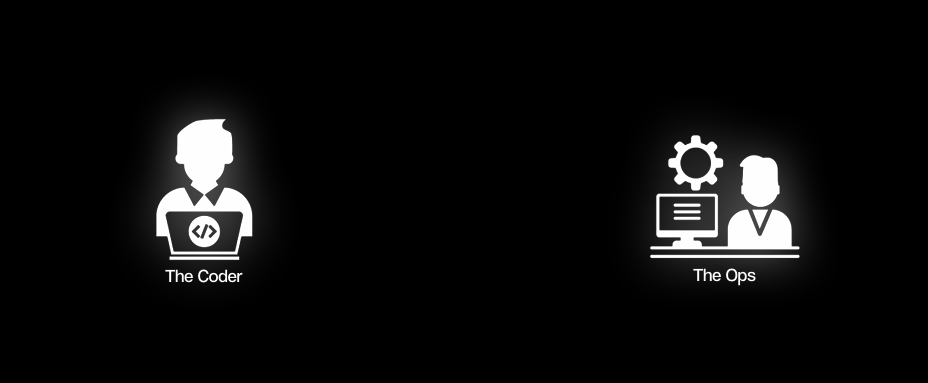
The image above clearly represents the core idea of DevOps:
The Coder (Dev):
Responsible for writing application code, implementing features, fixing bugs, and pushing changes to version control systems like Git.The Ops (Operations):
Manages servers, cloud infrastructure, deployments, monitoring, scaling, and system reliability.
DevOps acts as a bridge between these two roles, ensuring that software moves smoothly from development to production without friction.
The DevOps Lifecycle (Infinity Loop Explained)
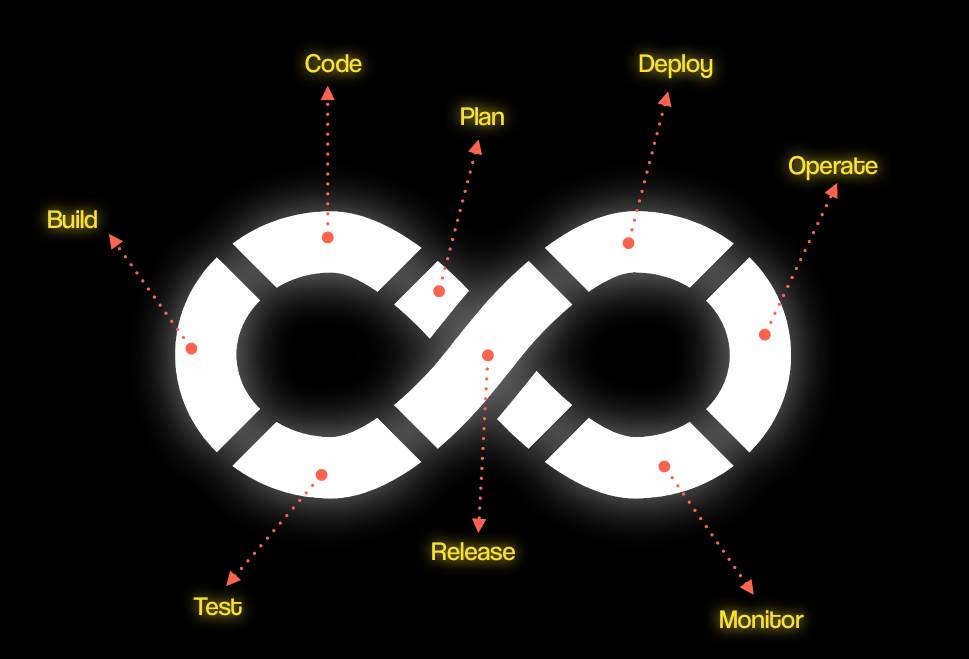
The image above illustrates the DevOps lifecycle as an infinity loop, emphasizing that software development and operations is a continuous, never-ending process. Each stage flows into the next, creating a cycle of continuous integration, delivery, and improvement.
Stage 1: Plan
The Plan stage is where the project starts. Teams:
Define requirements and objectives
Gather user feedback and business goals
Plan sprints or development cycles
Planning ensures that development aligns with business priorities and user needs.
Stage 2: Code
In the Code stage, developers:
Write the application source code
Use version control systems like Git for collaboration
Ensure code is modular and maintainable
This stage focuses on creating high-quality, testable software.
Stage 3: Build
The Build stage converts code into deployable artifacts. Activities include:
Compiling source code
Packaging into containers (Docker) or binaries
Automating build processes with CI tools (Jenkins, GitHub Actions)
The goal is to produce a consistent and deployable application.
Stage 4: Test
Testing ensures software quality before release:
Unit tests, integration tests, and end-to-end tests
Automated test suites catch bugs early
Security and performance tests ensure reliability
Continuous testing reduces errors in production and improves confidence in releases.
Stage 5: Release
The Release stage prepares software for deployment:
Validate builds and test results
Approve versions for staging or production
Ensure configuration and compliance requirements are met
This stage bridges development and operations for smooth deployment.
Stage 6: Deploy
Deployment moves the application into production environments:
Automate using CI/CD pipelines
Provision infrastructure using Infrastructure as Code (IaC)
Ensure rollback plans are in place for safe releases
Automation ensures fast, reliable, and repeatable deployments.
Stage 7: Operate
The Operate stage focuses on running the application efficiently:
Monitor servers, databases, and applications
Manage scaling, security, and availability
Use configuration management tools (Ansible, Puppet, Chef)
Operations ensure that applications remain stable and performant.
Stage 8: Monitor
Continuous monitoring closes the feedback loop:
Track performance metrics, logs, and errors
Gather user feedback and system data
Feed insights back into planning and development
Monitoring enables continuous improvement and faster issue resolution.
DevOps is Not a Team
One of the most important things to understand about DevOps is that:
DevOps is not a team.
Many people think DevOps is a separate department or group. In reality, DevOps is a culture and mindset that encourages collaboration between development (Dev) and operations (Ops) throughout the software lifecycle.
Instead of having a separate “DevOps team,” organizations integrate DevOps practices into existing Dev and Ops teams, promoting:
Shared responsibility for code quality and system reliability
Continuous collaboration and communication
Faster, more reliable deployments
Continuous feedback and improvement
This mindset is what allows continuous integration, delivery, and monitoring to work effectively — it’s about culture, not hierarchy.
By embracing this philosophy, teams move away from silos, reduce friction, and deliver software faster, safer, and with higher quality.
DevOps Summary
DevOps is a culture and mindset, not a team, that bridges development (Dev) and operations (Ops) for faster, reliable software delivery.
Workflow: Developers write code → CI/CD pipelines automate build & test → Ops deploys and monitors applications.
Lifecycle (Infinity Loop): Plan → Code → Build → Test → Release → Deploy → Operate → Monitor – a continuous, never-ending cycle.
Benefits: Faster releases, fewer errors, better collaboration, continuous improvement.
DevOps ensures software is delivered quickly, reliably, and continuously improved.
Content inspired by the DevOps for Developer Cohort by Hitesh Sir and Rakesh Sir.